$ prompts
Five ChatGPT shortcuts that turn a phone photo of your product into an ad
Turn a phone photo into an ad shot with five ChatGPT prompts. See what each does to the same product photo and how to combine three effects in one image.
/producthero /gravitydefying /liquid-explosionThe short version
Start with an ordinary phone photo of your product. Upload it to ChatGPT and add one of the shortcuts below in the same message to try a different look. The prompt above combines studio styling, a floating product and a splash of liquid in one ad shot.
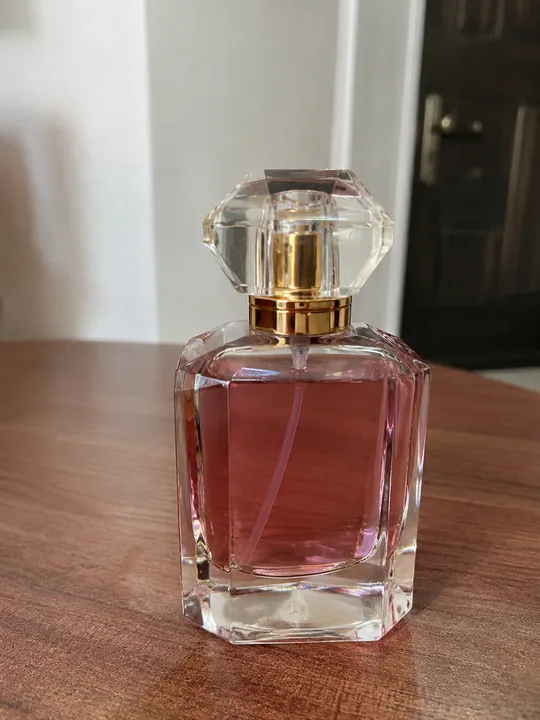
The photo we started from
Every picture in this article came from this one photo, taken on a phone on a dining table, with a door in the background:
How to use them
Open a new chat in ChatGPT and attach the photo of your product.
In the same message, type one of the five words below exactly as written, then send.
If you don't like the result, send the same word again in a new chat. Each attempt comes out a little different.
1. Commercial studio shot
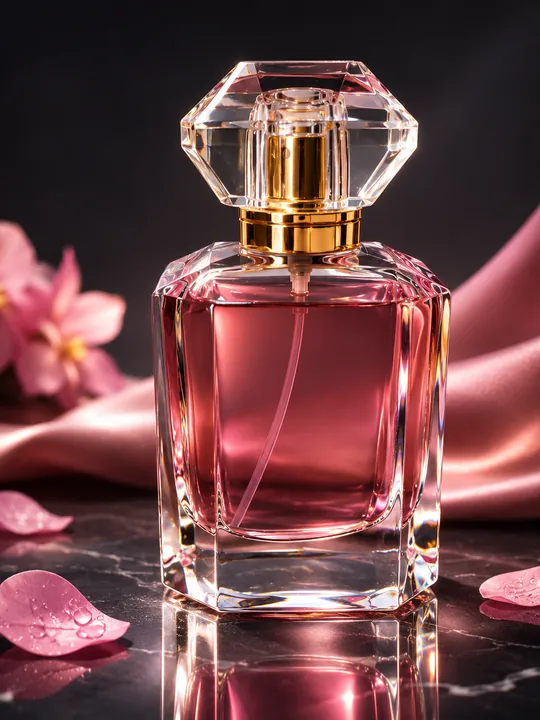
/productheroA luxury commercial shot: studio lighting and an elegant background. ChatGPT put the bottle on dark marble with pink satin and petals behind it.
2. The product floating in the air
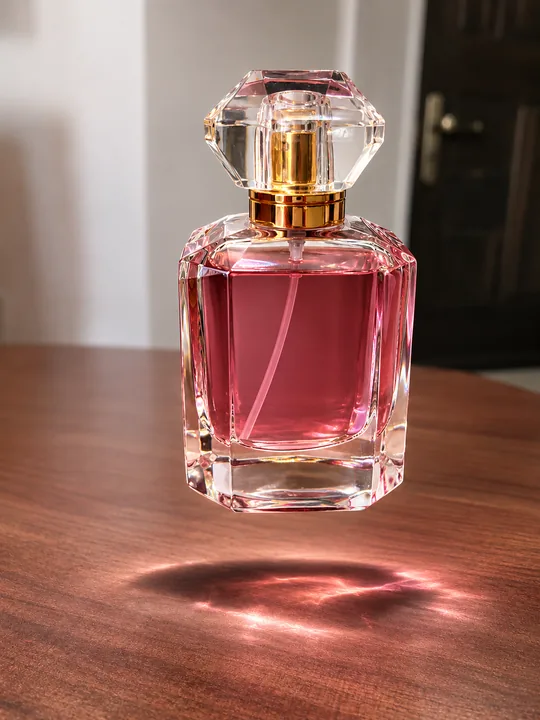
/gravitydefyingIt makes the product float. In our attempt ChatGPT kept the table and the room from the original photo and lifted the bottle above its shadow.
3. A liquid explosion
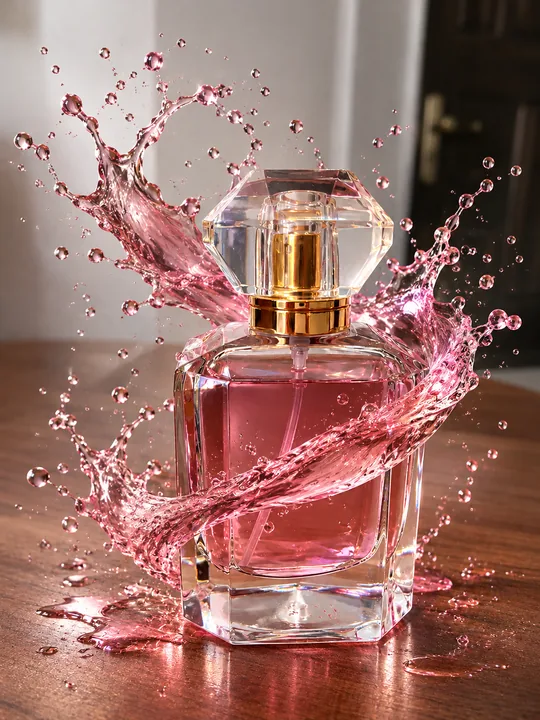
/liquid-explosionLiquid bursts out and wraps around the product, like a slow-motion shot from a cinema ad.
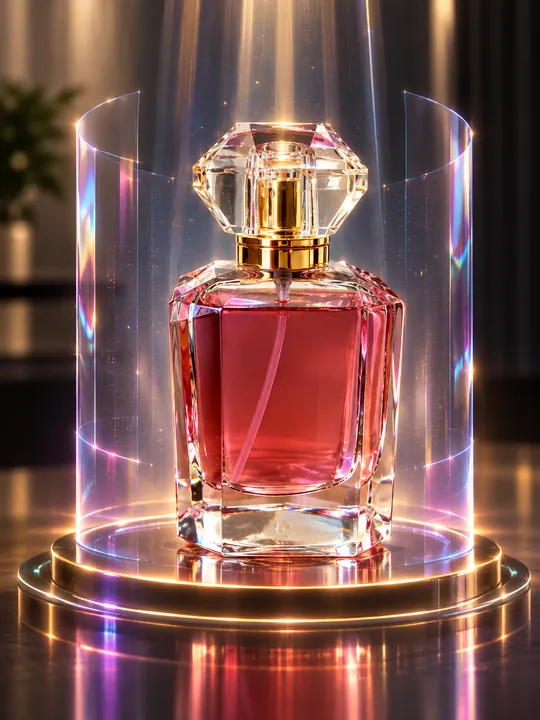
4. A holographic reveal
/holographic-revealYour product on a lit platform with a hologram around it, as if you were announcing a launch.
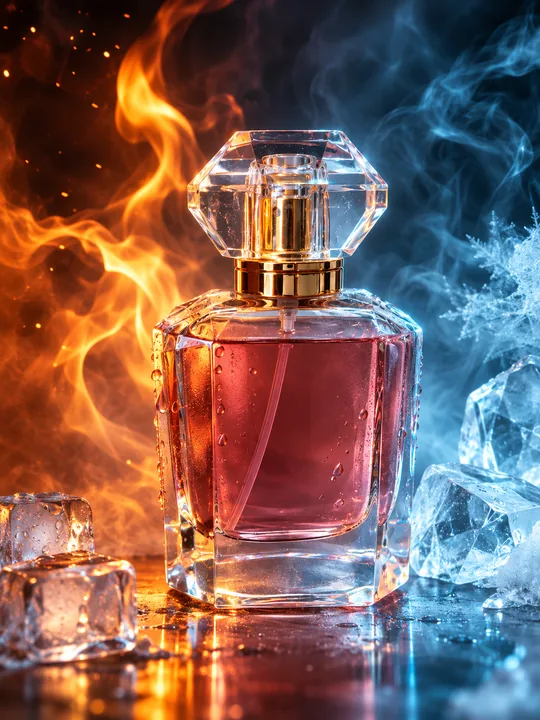
5. Fire and ice
/fire-and-iceFire on one side, ice on the other, and the product in the middle. The contrast pulls the eye whether it wants to look or not.
The trick: several in one message
You can put more than one word in the same message, with a space between them. The prompt at the top of this page combines the first three, and this is what it gave us: the studio shot, the floating bottle and the liquid together in one picture.
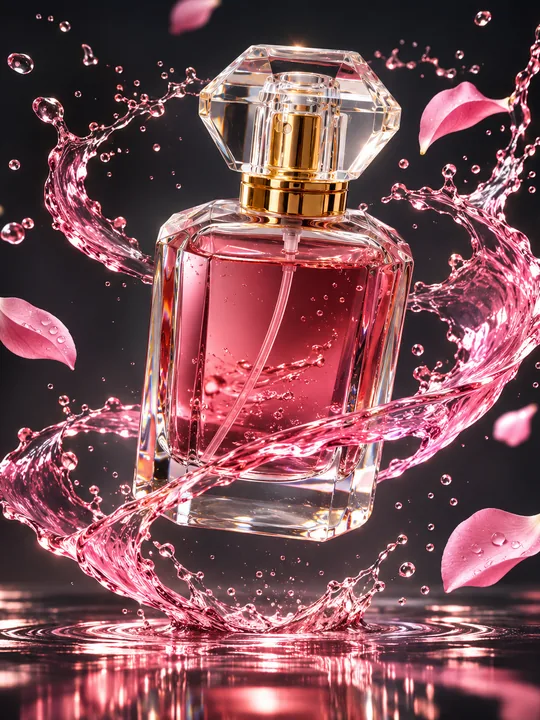
These are the three we sent together, ready to copy:
/producthero /gravitydefying /liquid-explosionBefore you use the pictures
- Check the product itself. In our pictures the bottle kept its shape and the gold neck, but a generated image can change a detail, a label or a logo. Compare it with your real product before you publish it as an ad.
- The background is invented. The marble, the satin and the platform don't exist. That's fine for an ad mood, but don't use it to describe what the customer will actually receive.
- Results vary. The pictures here are from attempts on 13 and 14 November 2026. Yours will differ, even with the same photo.
Related lessons
- Prompt: how do you ask for exactly what you want?: why one word can be enough, and when it isn't.
- Why does AI lie so confidently?: the same reason a picture can change a detail of your product.