$ prompts
Stop ChatGPT memory from leaking old details into your new chats
ChatGPT puts what it saved about you into every new chat before it reads your question. Three settings that stop it spoiling unrelated answers, and the prompt that trims your memory summary.
Remove the old details about my work and my projects from my memory summary.
Keep only a few fixed rules: my language and the way I like answers written.The short version
You open a new chat and ask ChatGPT for a trip plan, and it slips in details from your work project. Nothing is broken. The memory feature saved those details earlier, and ChatGPT puts them into the new chat before it reads your question.
The fix is three steps, and you do them in ChatGPT's own settings: trim your memory summary, give each subject its own Project with Project-only memory, and use an Unpersonalized Temporary chat when you want an answer that doesn't draw on your memory. The prompt at the top of this page is the one for step 1.
Why it happens
ChatGPT keeps notes about you: your job, your projects, how you like answers written. Every time you start a chat, those notes can be added to the conversation before your first message, as part of what the model sees. That helps when you are working on the same thing. It hurts when you ask about something unrelated, because the old details come along anyway and shape the answer.
The three steps below work on the same problem from three sides: less saved, saved details kept apart by subject, and a chat that ignores them.
1. Trim your memory summary
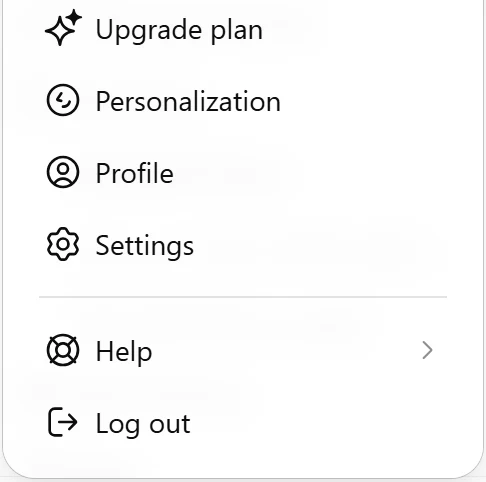
Click your name at the bottom of the sidebar. In the menu that opens, choose Personalization.
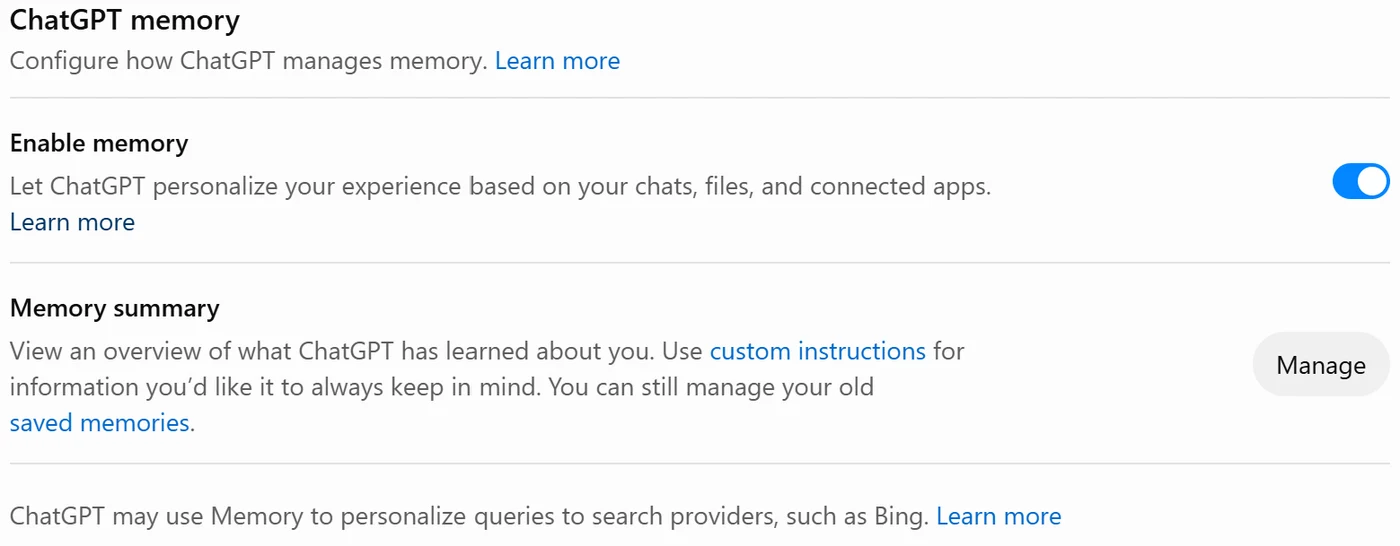
Under ChatGPT memory, find Memory summary and click Manage.
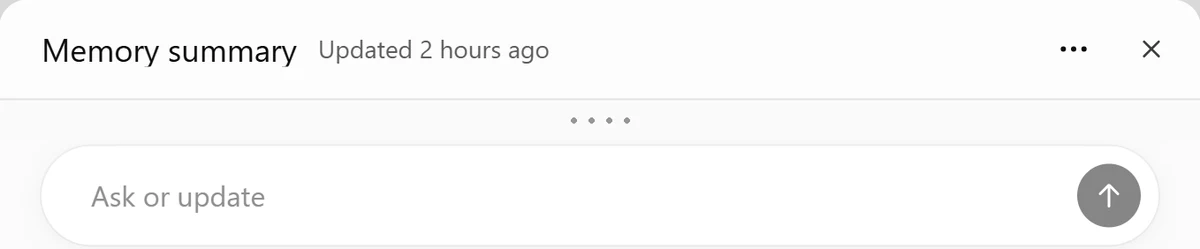
A window shows everything ChatGPT has learned about you. Read it first: this is what gets added to your chats. At the bottom is a box called Ask or update. Type the prompt below there and send it.
Remove the old details about my work and my projects from my memory summary.
Keep only a few fixed rules: my language and the way I like answers written.Read the summary again afterwards. If an old detail is still there, name it in the same box and ask ChatGPT to remove it.
You can write the prompt in Arabic if you prefer. Keep the rules that really are fixed: the language you want answers in, and the format you like. Whatever is specific to one project belongs in that project's own memory, which is step 2.
2. Give each subject its own Project, with Project-only memory
A Project is a folder in ChatGPT for one subject, with its own chats and files. The point of this step is its memory setting, because a new Project does not start isolated.
In the sidebar, click the + beside Projects.

Name the project after one subject you work on and don't want tied to the others. Don't press Create project yet.
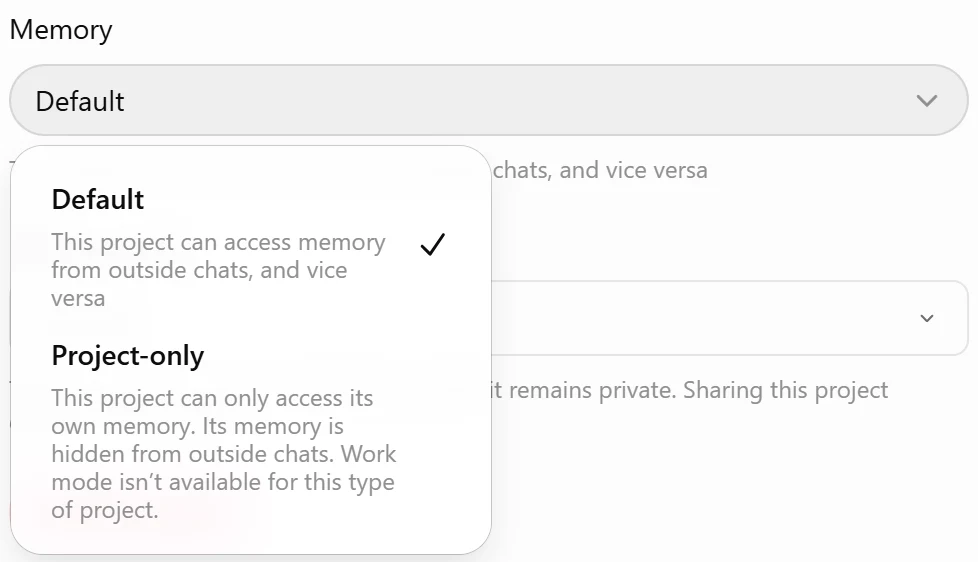
Open the memory menu, which says Default memory at first. A new Project starts on it, which means the project shares its memory with all your other chats, in both directions. Choose Project-only memory instead.
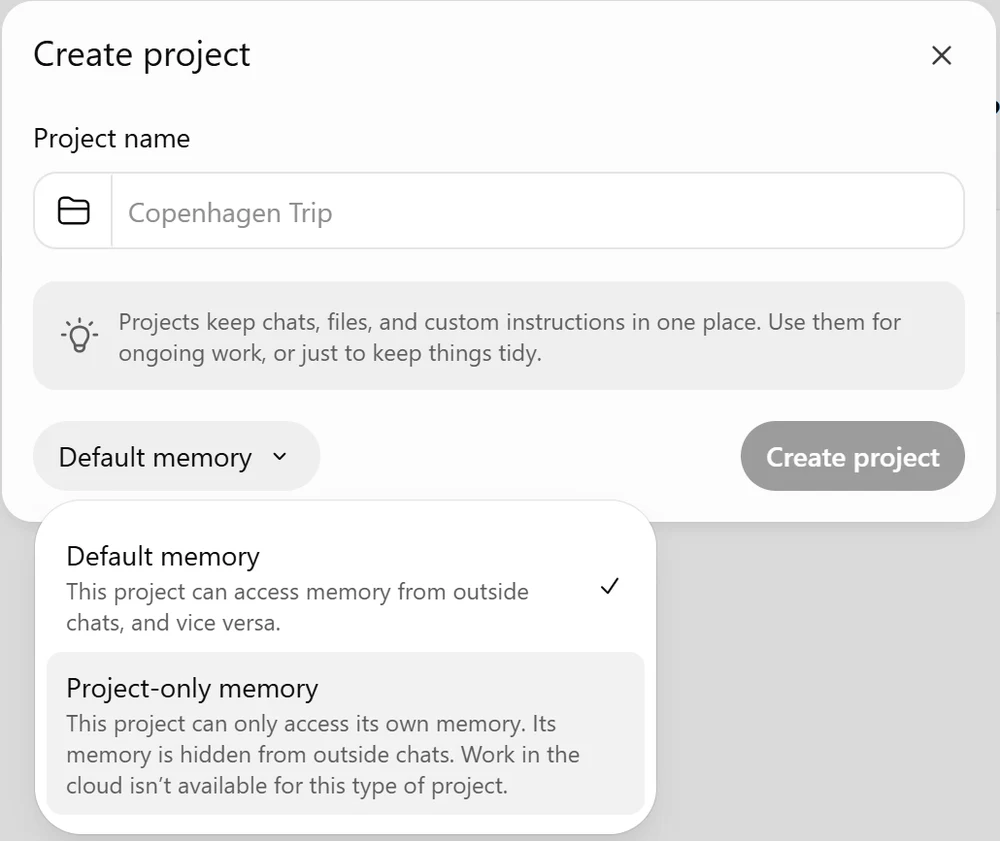
Now the project can only read its own memory, and what it saves stays hidden from your chats outside it. Nothing comes in, and nothing goes out.
An existing Project
The memory setting of a Project you made earlier can still be changed. Click the ⋯ menu beside the project in the sidebar, choose Project settings, and change Memory from Default to Project-only.
Starting a chat inside the project
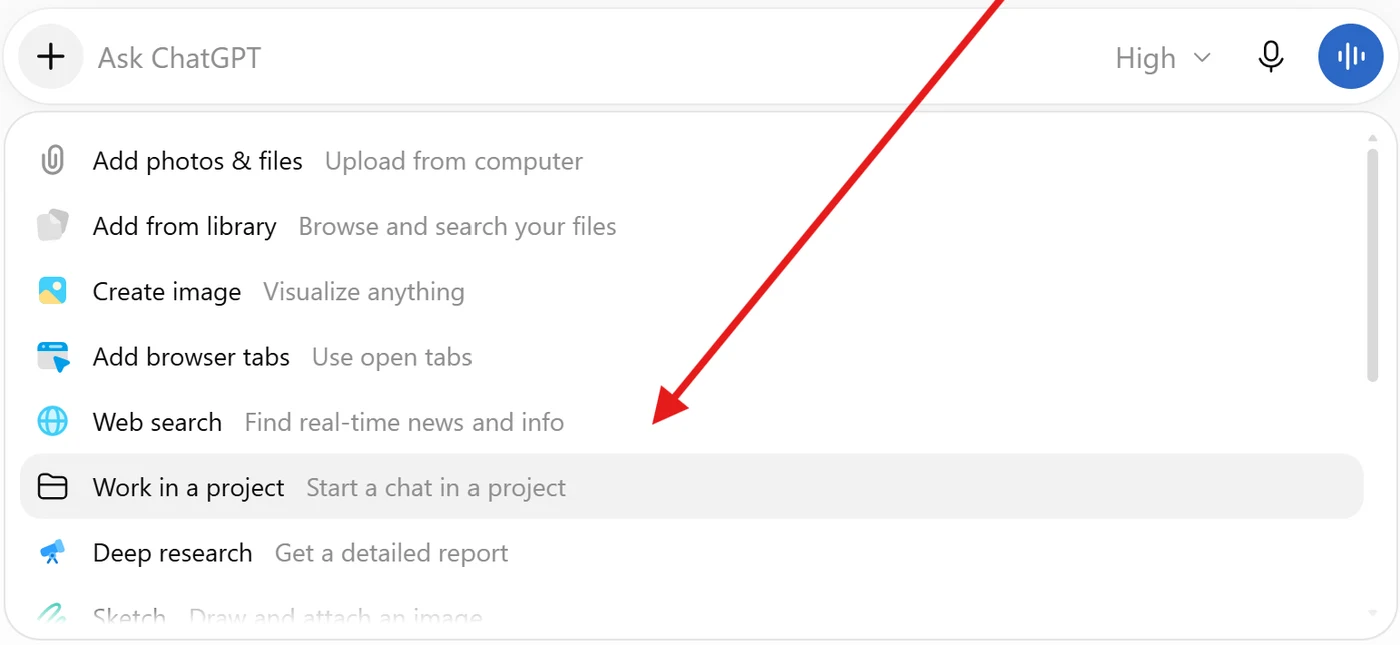
Open a new chat, click the + in the message box, and choose Work in a project. Then pick the project.
3. A Temporary chat when you want a clean answer
For one question that shouldn't draw on anything about you, use a Temporary chat.
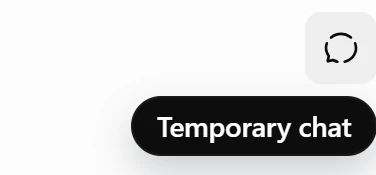
Click the Temporary chat icon at the top right of the screen.
At the top of the chat there is a menu with two options. Make sure it says Unpersonalized. In that mode ChatGPT's own description says the chat will ignore memory, plugins and custom instructions, and it won't appear in your history.
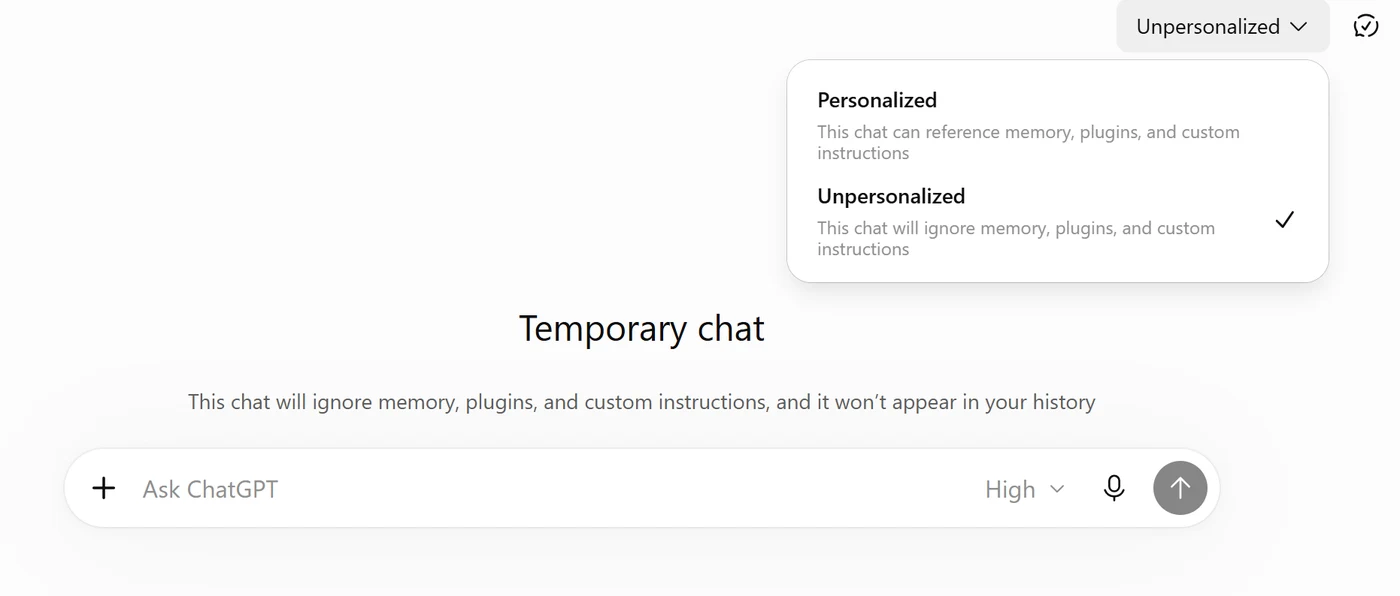
Ask your question.
The answer you get is free of your own memory and instructions. It is not "neutral" or "unbiased": the model keeps its own biases, and it can still be wrong.
Before you rely on this
- Temporary doesn't mean deleted at once. The chat stays out of your history, but ChatGPT's note on the screen says OpenAI may keep a copy for up to 30 days for safety.
- Trimming memory has a price. A shorter summary means ChatGPT knows less about you in every chat, which is the point, but expect to repeat yourself in the chats where you did want it to know.
- Check the result, don't assume it. Asking ChatGPT to remove details from the summary is a request, not a guarantee. Open Memory summary afterwards and read it.
- Settings move. Names like Personalization and Project-only are from November 2026. OpenAI changes this area often.
Related lessons
- Why does AI forget what you told it?: the difference between Context and Memory, and the experiment behind this article.
- Prompt: how do you ask for exactly what you want?: how to write a request the model follows.